Replies ready before you ask, summaries in a second, and help with every word.
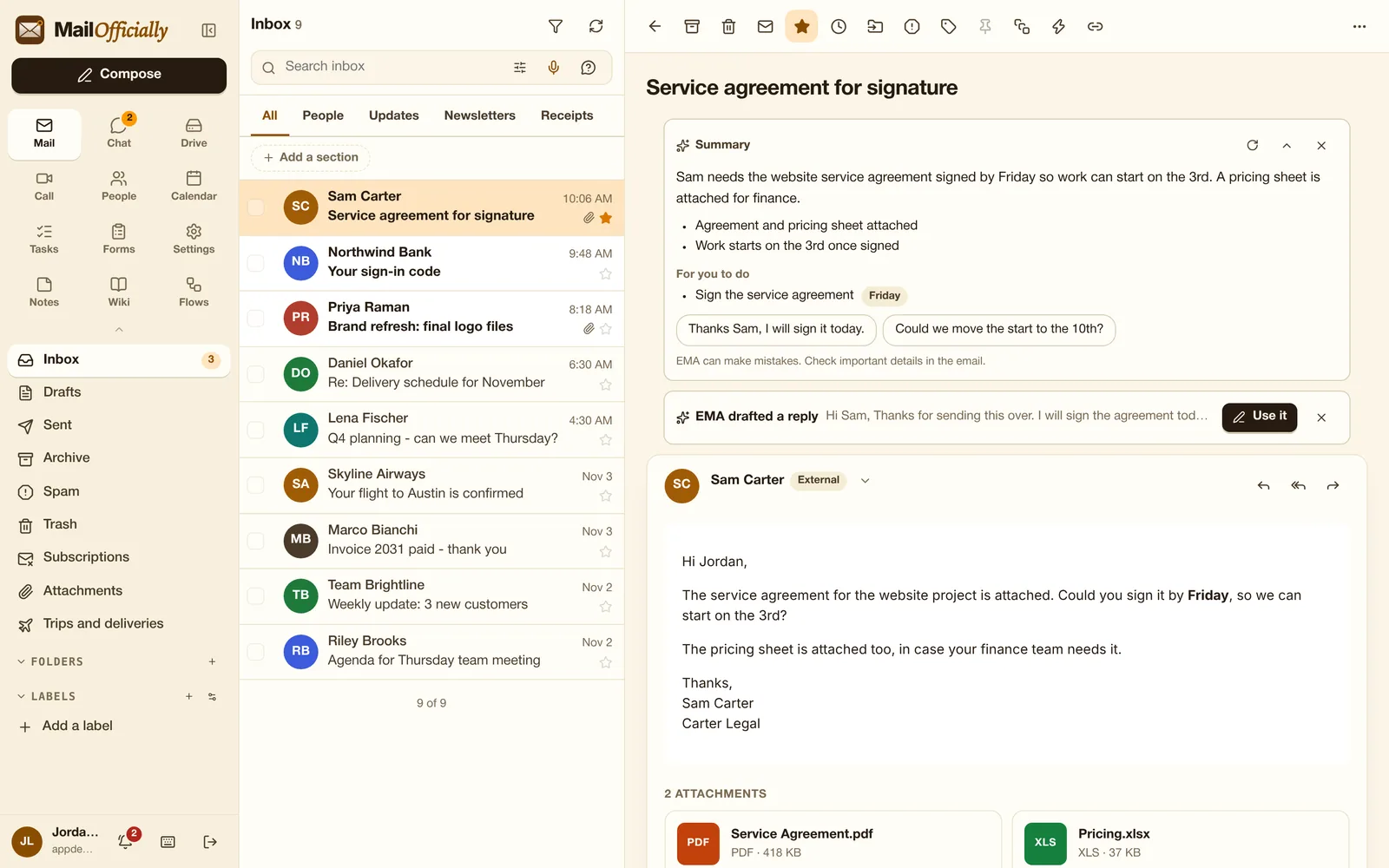
Open an email that needs an answer and EMA has already written a reply in your own style. Click "Use it", check it, send. Nothing is ever sent without you, and you can switch drafting off in EMA settings.
Use it when Open a client's question and a reply in your style is already waiting: check it and send.
Three short replies under an email; one click opens the reply with that text.
Use it when "Signed, thanks!" in one click for short answers.
A short summary of an email or a whole conversation, key points, "For you to do" and suggested replies. Opening a summary again is instant.
Use it when A 40-message thread you were CC'd on: read a 3-line summary and the action items.
Write a full draft from one line, or make your text shorter, more formal, friendlier, fixed or translated. Your signature stays.
Use it when Turn "tell Sam we need one more week, politely" into a full email.
Translate any email into 14 languages, including Hindi, Spanish, Arabic, French and Chinese, by picking the language.
Use it when A supplier writes in German: read it in English, and reply in German.
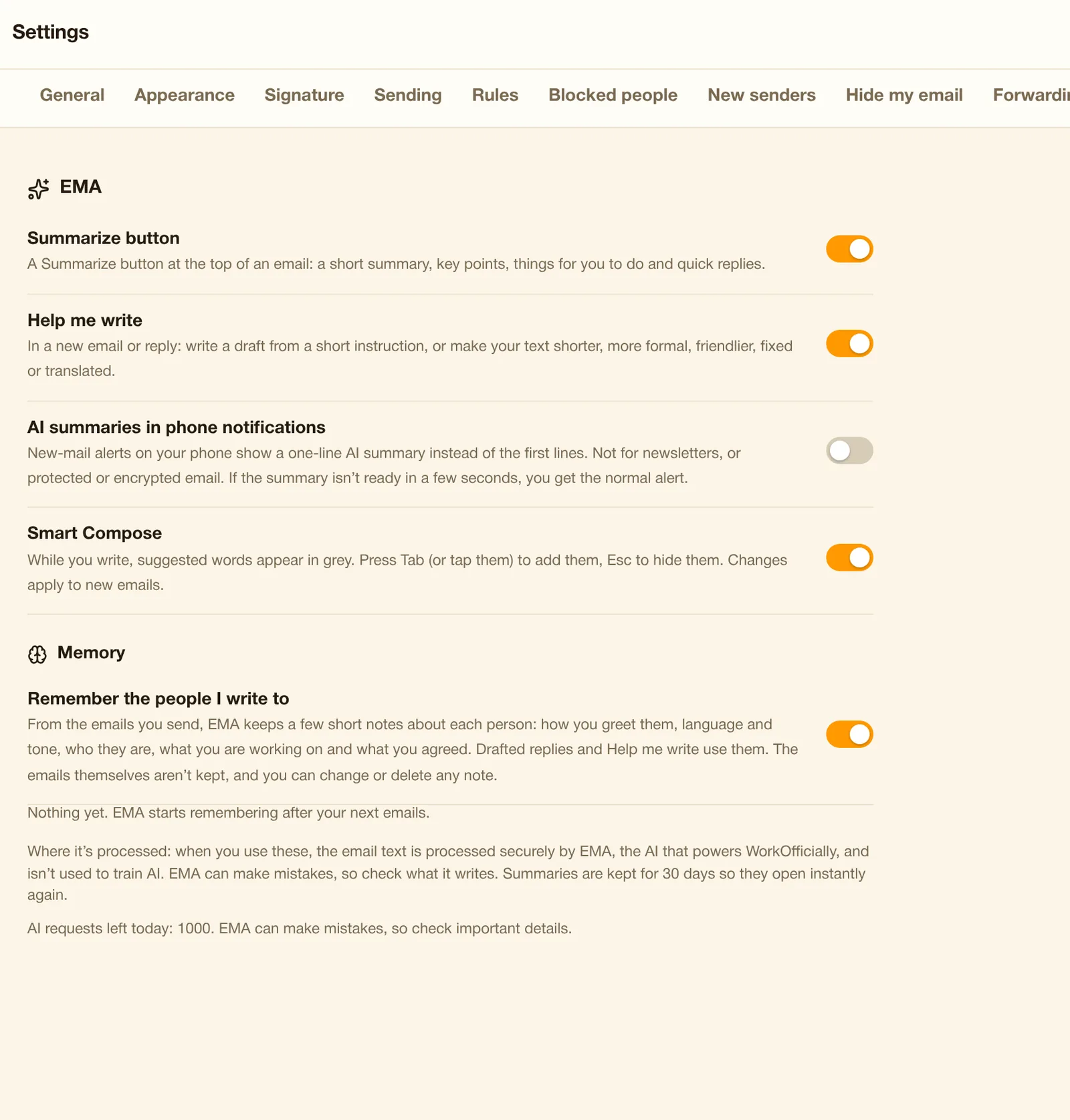
Gray word suggestions as you type; Tab accepts.
Use it when Gray words finish your sentence as you type; press Tab to accept.
Ask a question ("when is the Acme renewal?") and get a short answer with links to the emails it came from. Also by voice.
Use it when Ask "when does the Acme contract renew?" and get the answer with a link to the email.
Summarize, rewrite and shorten, write a formula, or build a slide outline.
Use it when Summarize a 20-page proposal, or ask for a formula that totals invoices by month.
A one-line AI summary instead of the first lines in new-mail alerts (off by default).
Use it when Your phone shows "Sam needs the contract signed by Friday" instead of the first lines.
Decisions and action items added to the notes email after a call (needs the transcript on; not in end-to-end encrypted meetings). Each summary counts as one AI action.
Use it when After the weekly call, decisions and action items arrive in the notes email automatically.
Private by design
EMA reads an email only to do an EMA job: when you ask it something, or to prepare drafted replies, quick replies and phone notification summaries while those features are on. Each person can switch every EMA feature off in EMA settings. To do the job, the email text goes to our AI provider, which may not use it to train AI. EMA never sees attachments, and every EMA screen reminds you to check before you send.