
Business email, quietly extraordinary.
Everything MailOfficially can do, explained: 191 features with their plan and a real use case, 79 screenshots with labels, and a guide to all 1,682 buttons.
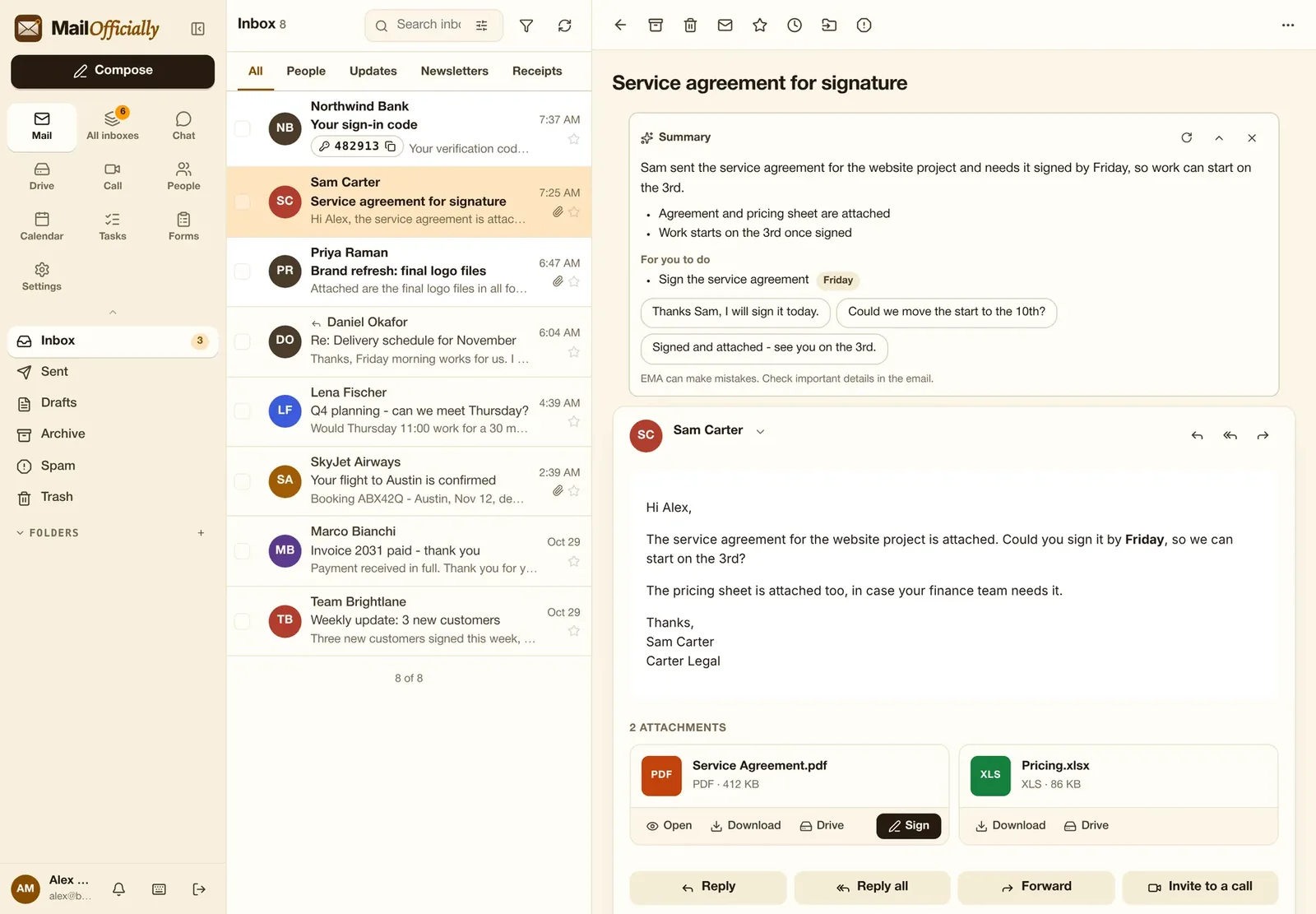
Spotlight · Sign OfficiallySign without downloading
See how it works
Press Sign on any PDF in your email. Sign it, and the signed copy comes back into your email on its own, ready to send. Nothing downloaded, nothing to clean up.
Web, Windows and Mac
IGetting startedSign in, protect your account and connect every device.IIReading mailA clean inbox that sorts itself, keeps you safe and reads like a conversation.IIIWritingEverything you need to write, schedule, protect and follow up on email.IVOrganizing and searchKeep the inbox under control in seconds, and find anything.VEMA, your AI assistantReplies ready before you ask, summaries in a second, and help with every word.VIAll inboxesEvery mailbox you look after, in one inbox.VIICalendarMeetings, availability and bookings in one place.VIIIContactsEveryone you work with, organized and in sync.IXChatTeam messaging next to your inbox.XCall OfficiallyVideo meetings without another app.XIDrive, Docs and Sign OfficiallyFiles, documents and signatures, connected to your email.XIITasks, Notes, Forms, Wiki and FlowsThe everyday apps a team needs, in the same account.XIIIYour settings and notificationsMake MailOfficially work your way.XIVAdministrationEverything an owner or admin needs to run the company's email, in one console. Every change is recorded.
Phone and desktop apps
iOSiPhoneEvery screen of the iPhone app, and dark modeAndAndroidEvery screen of the Android app, and dark mode Drive Officially for WindowsYour Drive as drive M: in File Explorer. Download and set up