MailOfficially on iPhone
Get it from the App Store: search for "MailOfficially" and sign in with your work address and password.
The app brings mail, Chat (Messages), Call Officially and Drive to your phone, with instant new-mail alerts, a Priority inbox, follow-ups, Undo send and protected email. Everything you do here also shows on the web and your other devices.
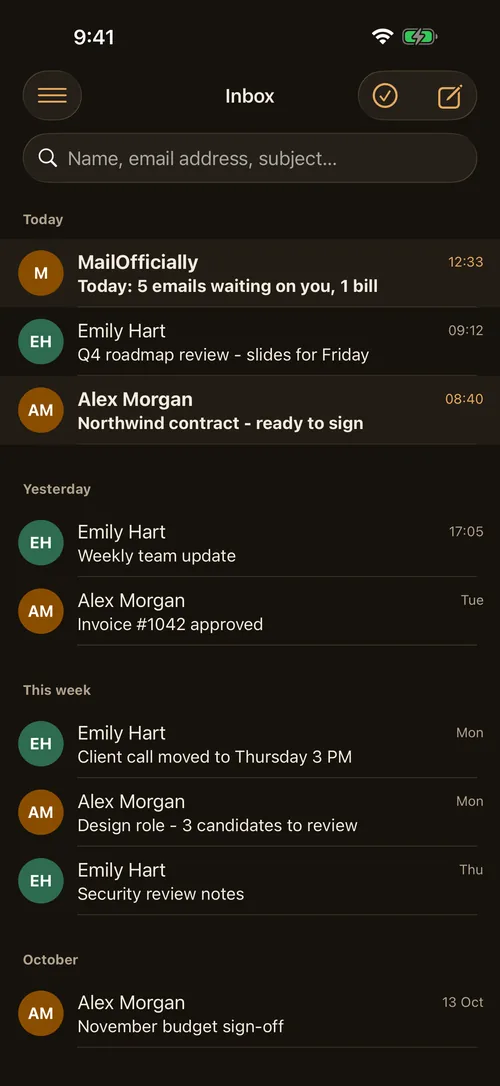
Inbox
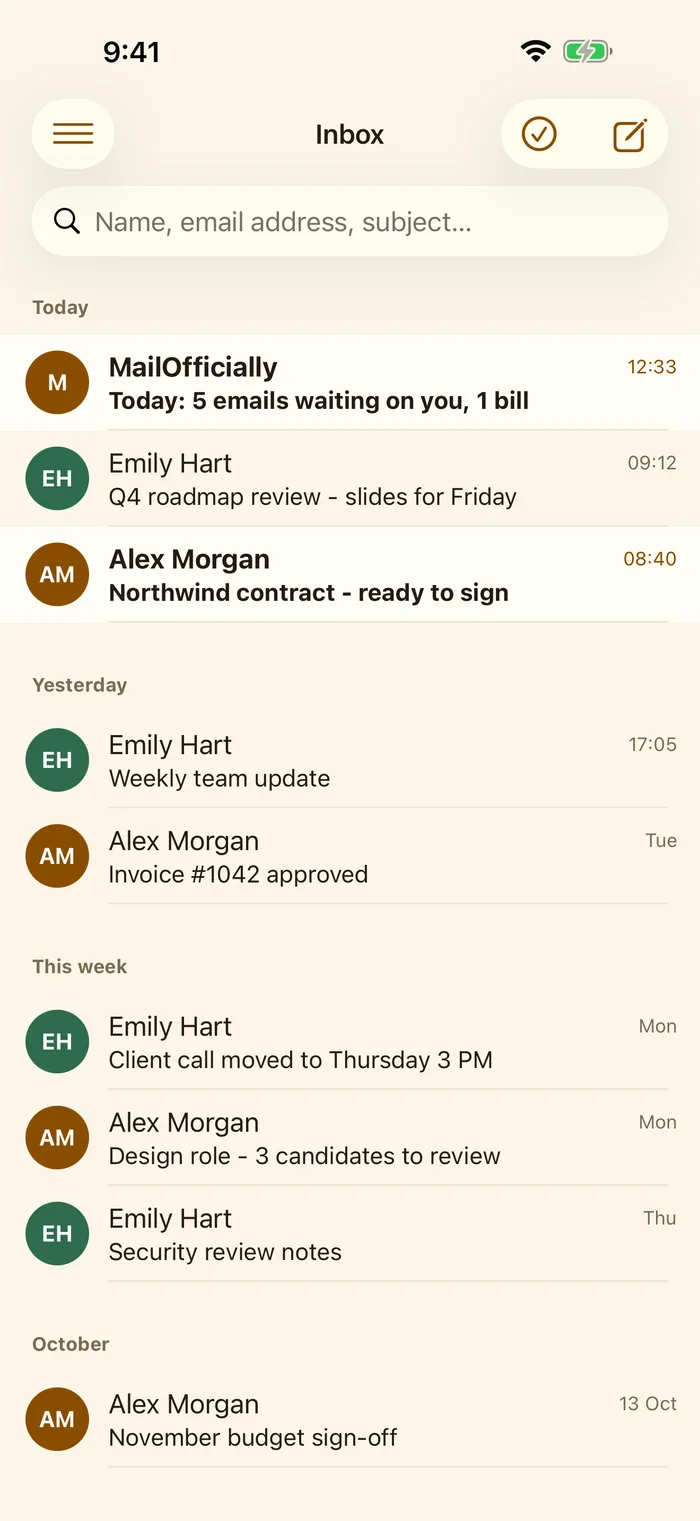
Your mail grouped by day: Today, Yesterday, This week. Unread emails are in bold.
- Menu: top left: mailboxes, Chat, Call, Drive, Priority, Outbox and follow-ups
- Select and New email: top right
- Search: by name, email address or subject
- Use it when: you are between meetings and want to see what came in, and from whom, at a glance
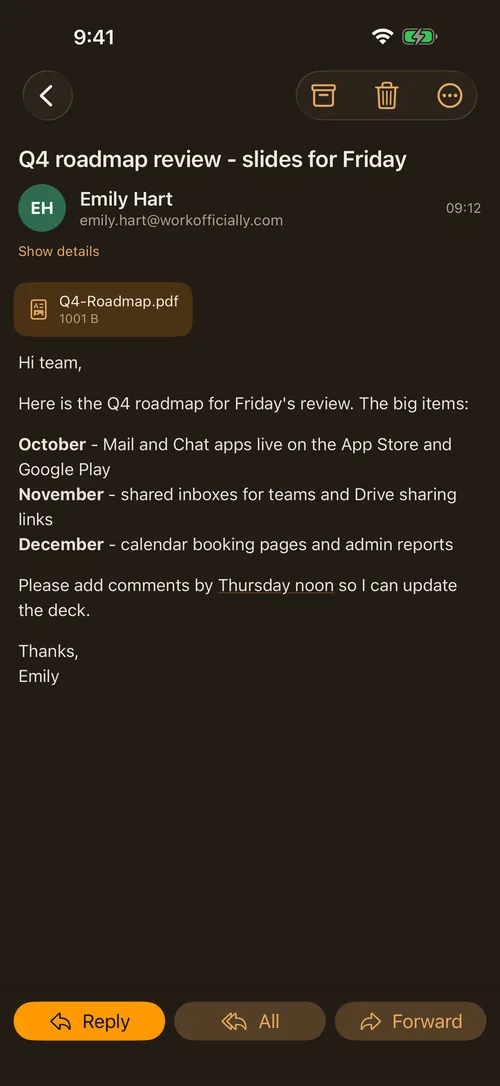
Reading an email
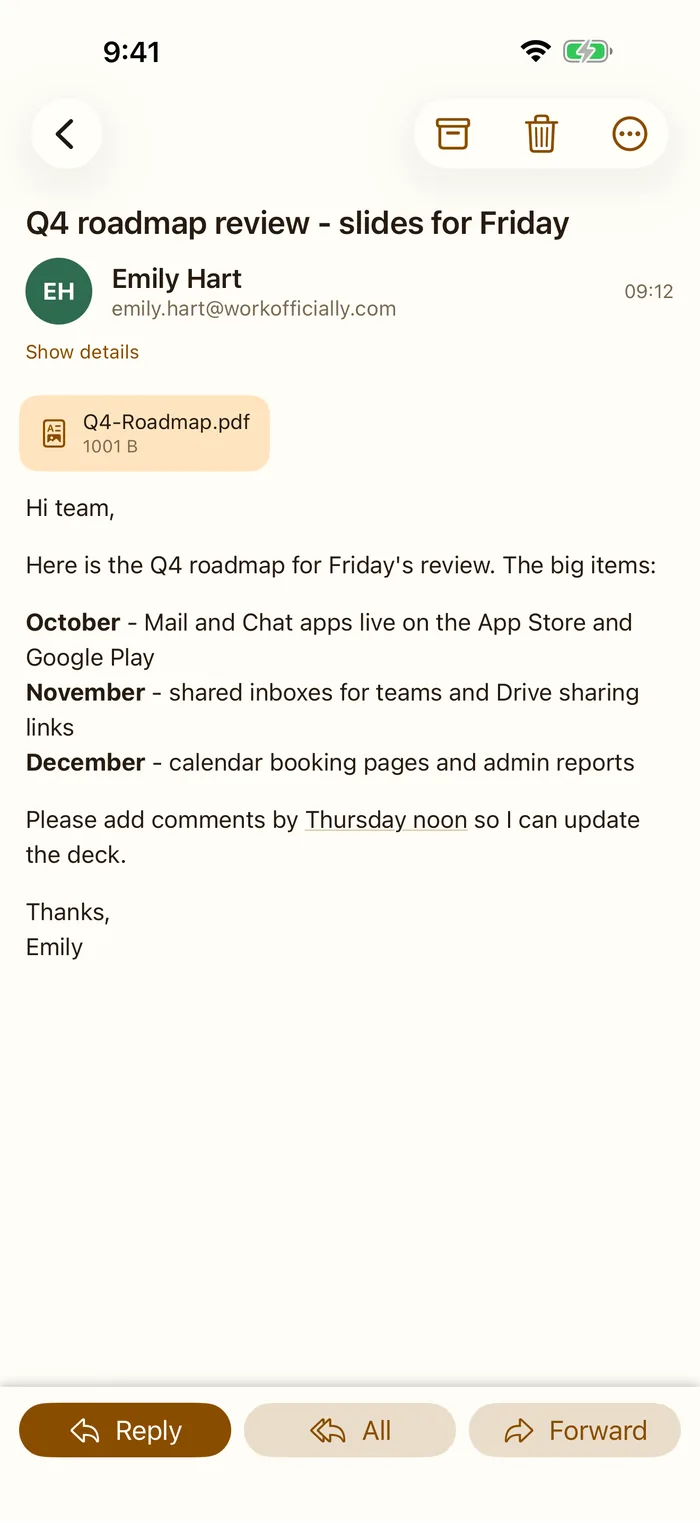
The whole email with its attachments as cards. Tap a card to open the file.
- Archive, Delete, More: top right
- Show details: who it was sent to and when
- Reply, All, Forward: the bar at the bottom
- Use it when: a client sends the Q4 roadmap: open the PDF from the card, then reply from the same screen
Replying
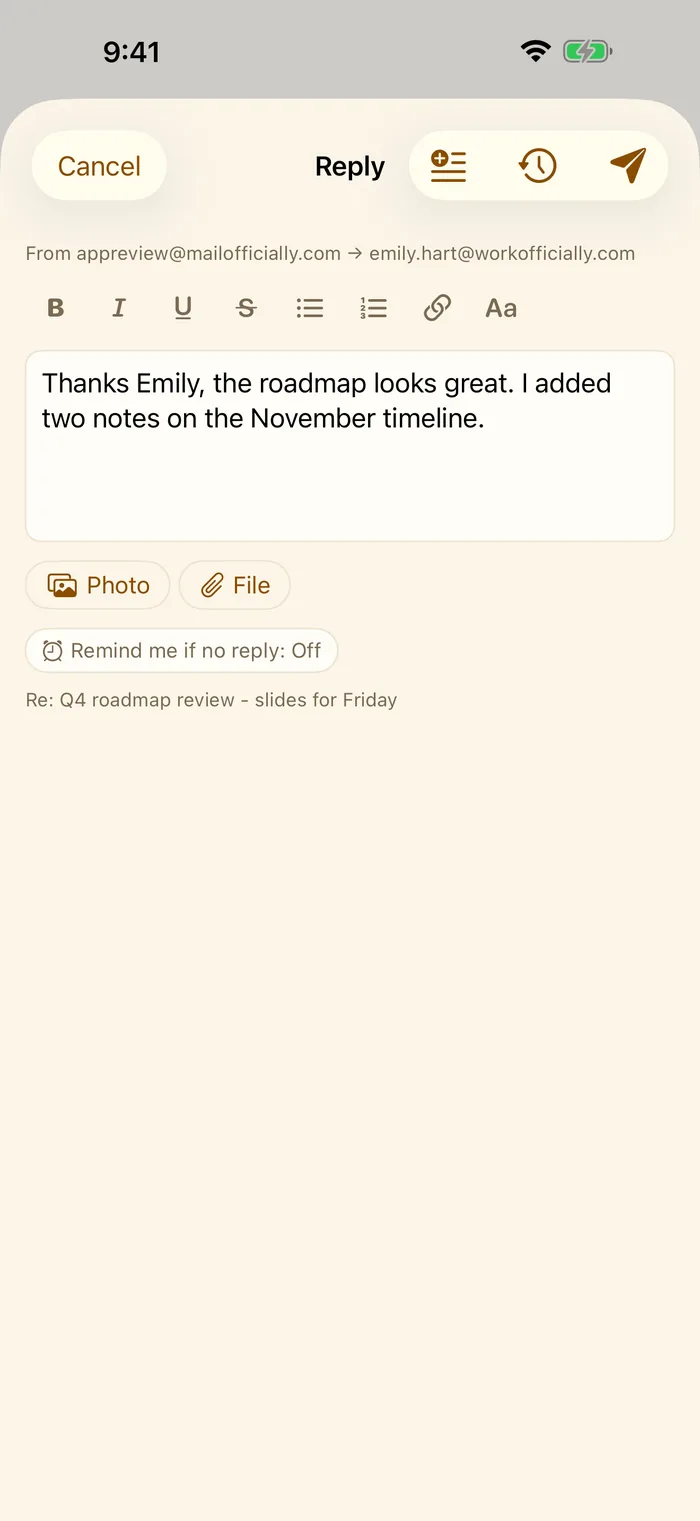
Write your answer above the quoted email. The original is kept below.
- Formatting: bold, italic, lists, links and text size
- Photo and File: attach from your photos or Files
- Remind me if no reply: off, or after a few days
- Send later and Send: the clock and the paper plane at the top
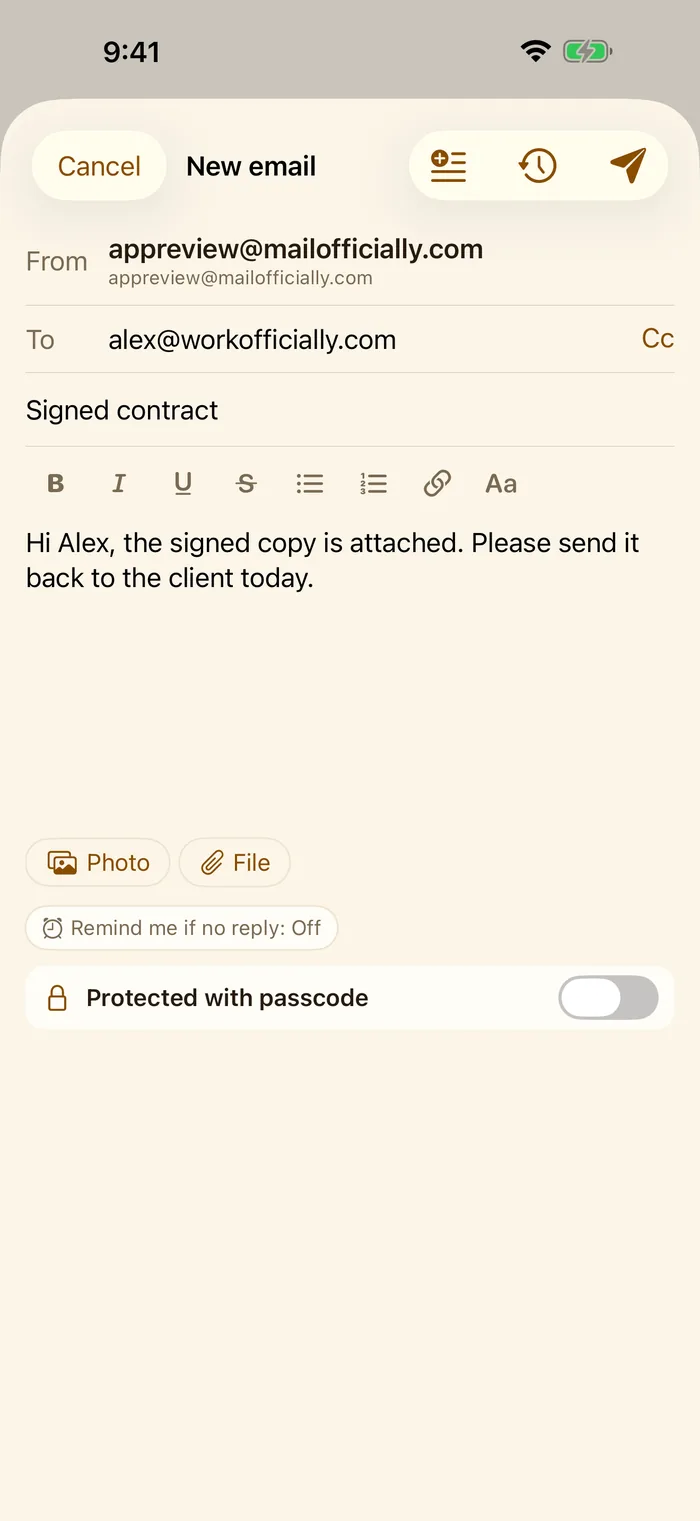
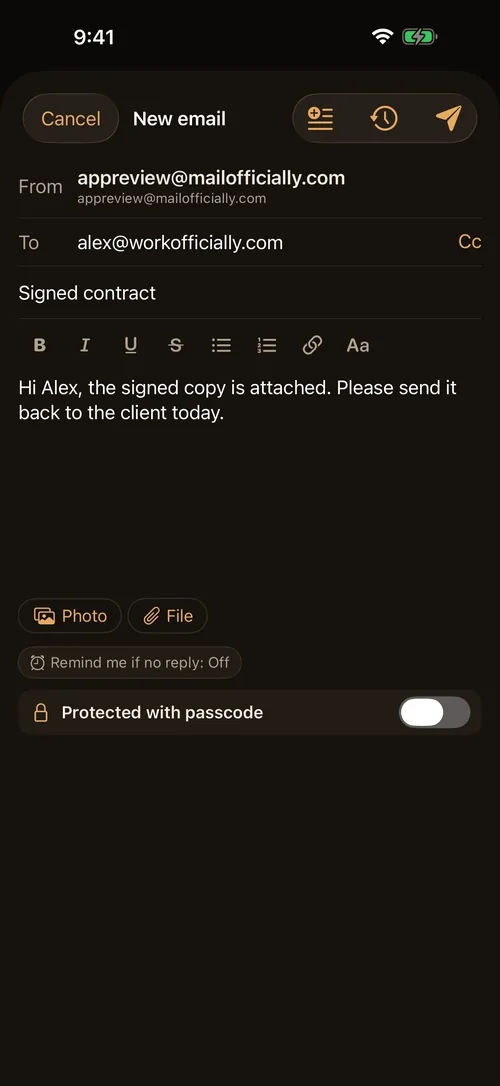
A new email
Pick the From address, add people and write. The protected switch sends it as a protected email.
- From, To, Cc
- Protected with passcode: the person opens it with a passcode you give them
- Photo, File: attachments
- Use it when: you send a signed contract and want it to open only for the client
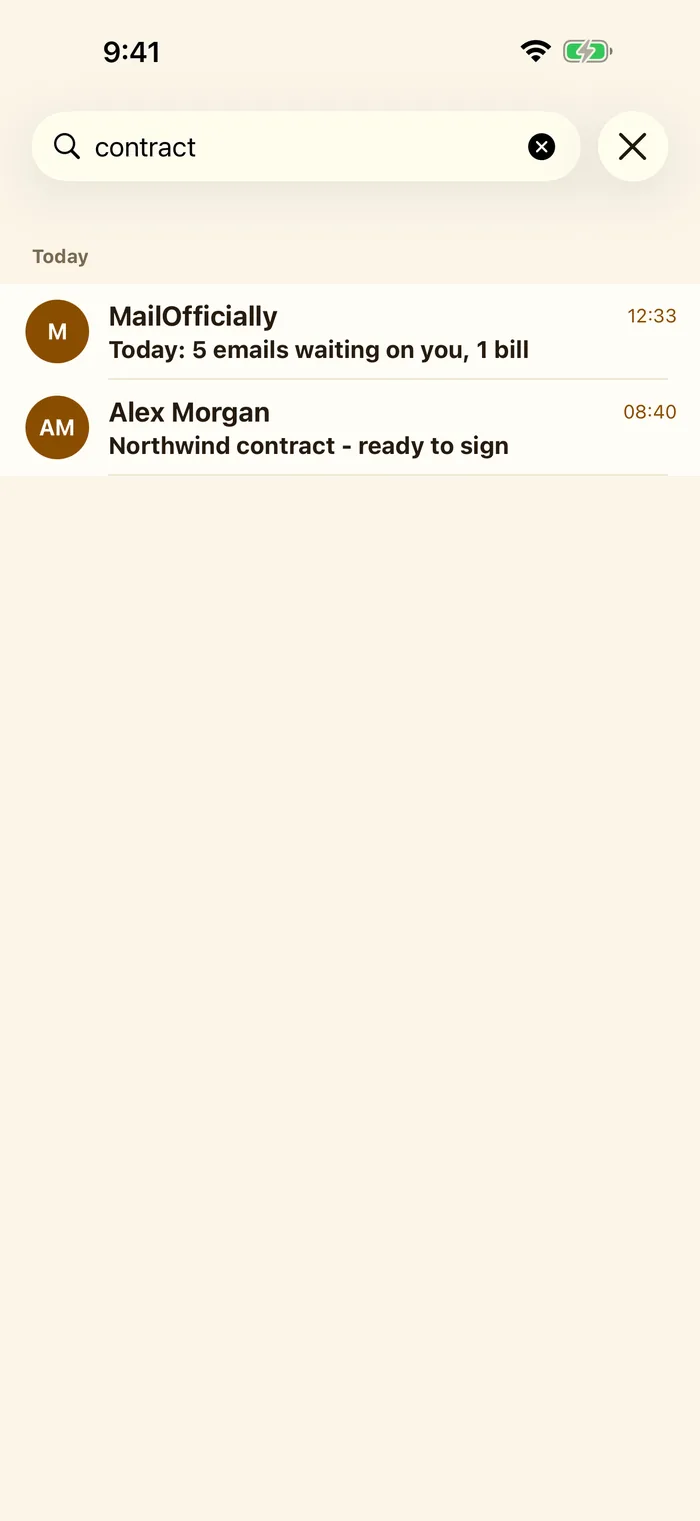
Search
Search all your mail as you type. Results keep the same layout as the inbox.
- Clear: the X empties the search
- Use it when: you remember one word, like "contract", and need the email now
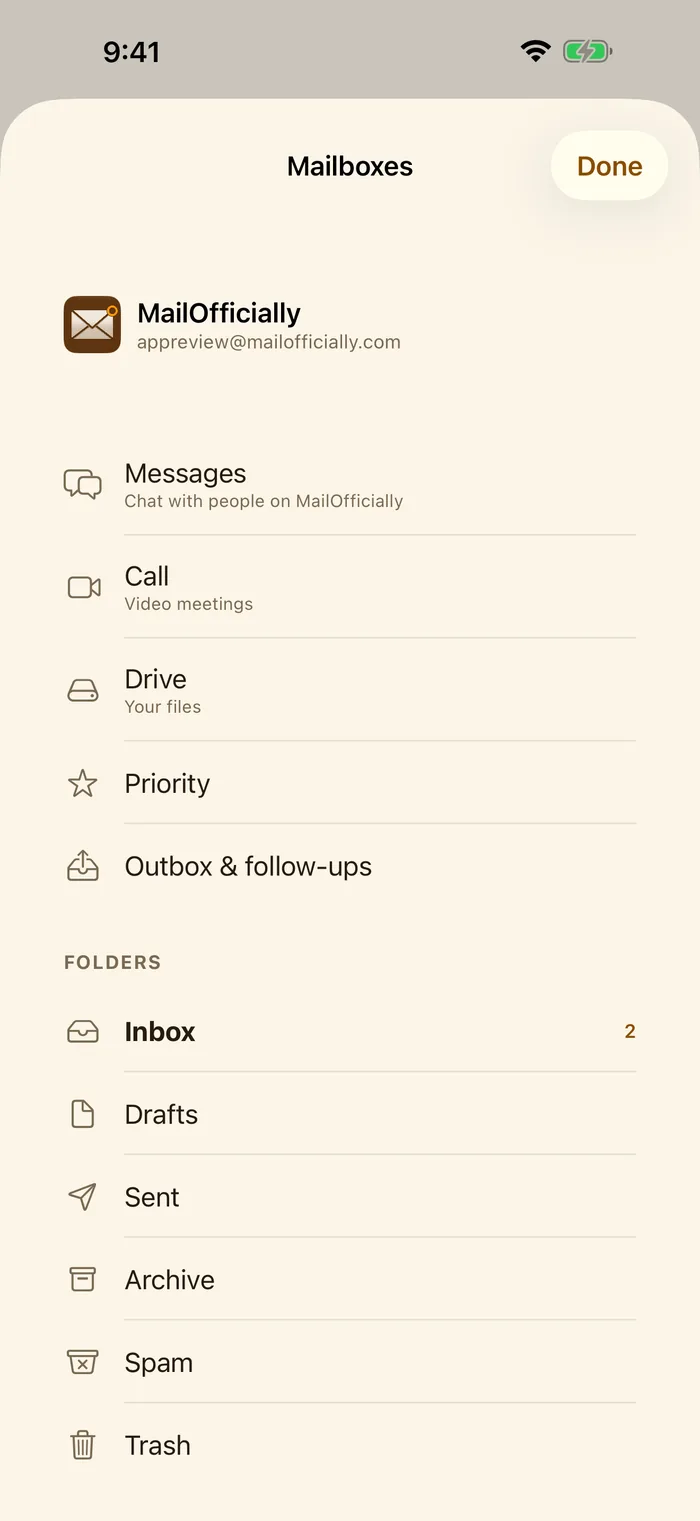
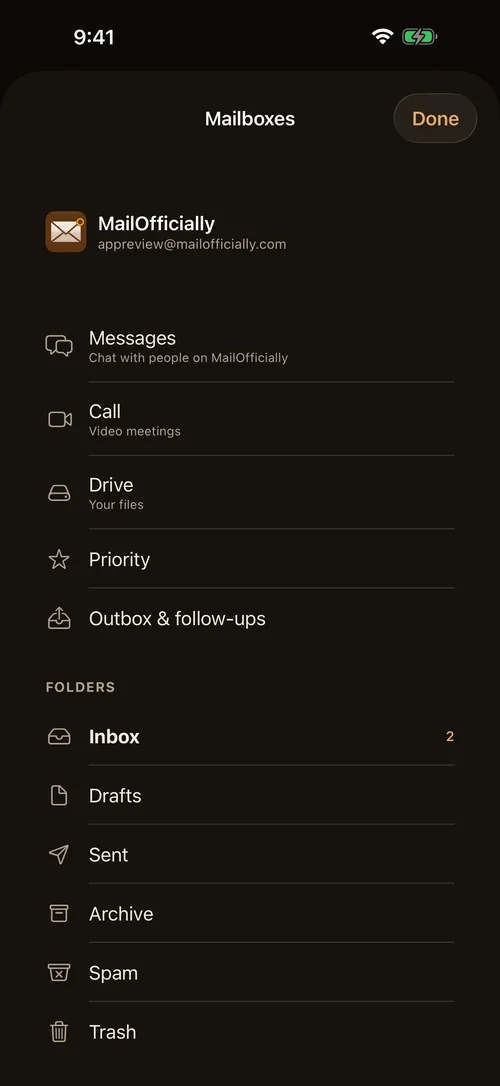
Mailboxes and apps
Everything in MailOfficially from one menu.
- Messages: Chat with people on MailOfficially
- Call: video meetings
- Drive: your files
- Priority: the emails that matter most
- Outbox and follow-ups: scheduled emails and the ones waiting for a reply
- Folders: Inbox, Drafts, Sent, Archive, Spam, Trash
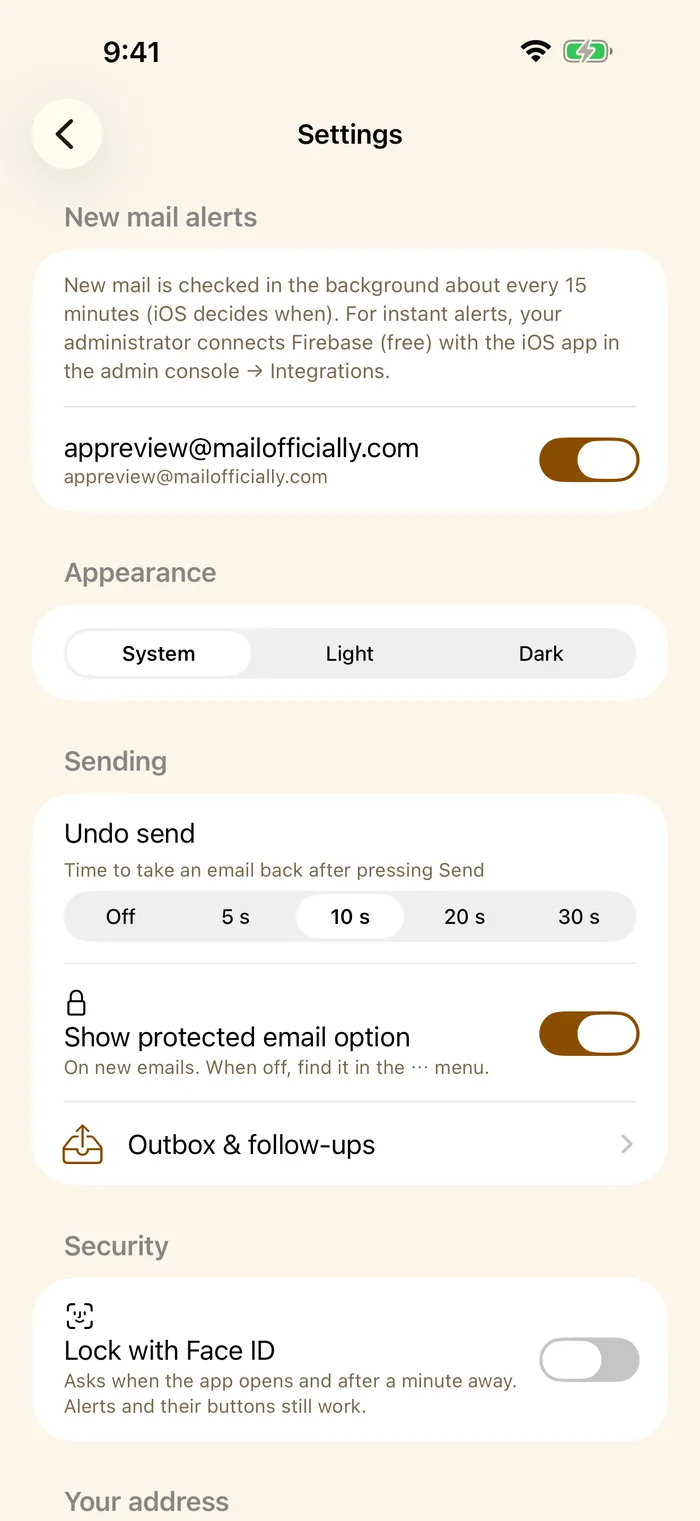
App settings
Settings for this phone.
- New mail alerts: per address
- Appearance: System, Light or Dark
- Undo send: off, 5, 10, 20 or 30 seconds
- Show protected email option: on new emails
- Lock with Face ID: asks when the app opens and after a minute away
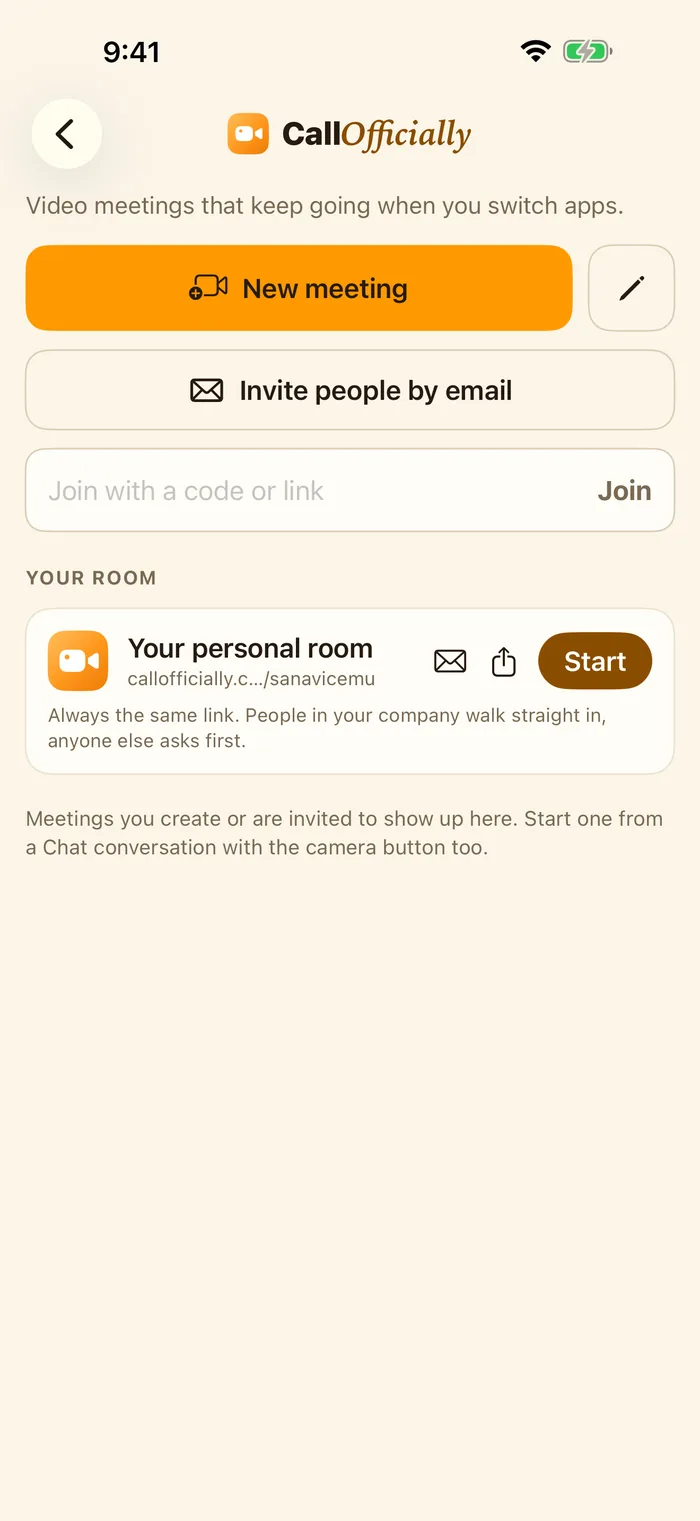
Call Officially
Video meetings that keep going when you switch apps.
- New meeting: start one now
- Invite people by email
- Join with a code or link
- Your personal room: always the same link; Start, share or email it
Dark mode
The app follows your phone's light or dark setting, or choose one in the app's Settings > Appearance.